User Engagement Strategies for Mobile Apps
User engagement determines whether an app becomes part
of someone’s daily routine or gets ignored after installation. Apps must offer
value quickly and keep users active through smart communication and meaningful
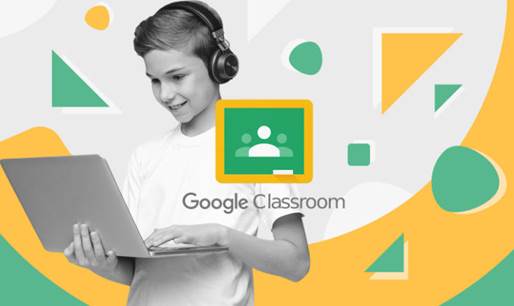
interactions. Platforms like Google Classroom illustrate how timely updates,
structured content, and intuitive tools support ongoing participation. Strong
engagement strategies help users feel motivated, understood, and supported,
turning occasional visitors into loyal, long-term participants across various
use cases.
Creating Value Through Personalized Experiences
Content Personalization and Smart Suggestions
Personalized content helps users find relevant
information faster and encourages repeated use. Apps can analyze user behavior
to highlight topics, tools, or recommendations that match individual needs.
Google Classroom shows how tailored resources help students focus on the right
materials. Smart suggestions improve satisfaction because users spend less time
searching. When content feels personal and timely, engagement rises naturally,
and users gain confidence in the app’s ability to support their goals.
Behavior-Based Targeting and User Segments
Understanding user segments allows apps to deliver
messages and features that feel more meaningful. Grouping users by intent,
activity patterns, or skill level creates targeted experiences that improve
overall engagement. Google Classroom uses structured segmentation to guide
learners through assignments and reminders. Apps benefit when they respect user
differences and avoid generic interactions. Behavior-based targeting helps
teams deliver value to each user group, raising activity levels and boosting
long-term retention.
Dynamic Features That React to User Actions
Dynamic features respond instantly to user actions,
making the app feel alive and intuitive. These elements adjust content, unlock
new steps, or offer guidance based on real-time behavior. Google Classroom uses
responsive tools that react to student submissions or instructor updates. Apps
that adapt quickly build momentum and keep users active. When interactions feel
relevant and immediate, users spend more time exploring, completing tasks, and
engaging with core features.
Strengthening Communication and Interaction
Effective Notification Timing and Frequency
Notifications help bring users back, but timing and
frequency must feel natural. Well-timed alerts can highlight updates or remind
users about important tasks. Google Classroom demonstrates this by sending
timely announcements that support progress without overwhelming learners. Apps
should avoid excessive notifications and focus on messages that provide clear
value. Balanced communication helps users stay informed, reduces frustration,
and encourages steady engagement across different stages of their journey.
In-App Messaging and Interactive Prompts
In-app messaging allows teams to guide users while
they navigate the app. Interactive prompts can offer tips, clarify actions, or
highlight new features. Google Classroom effectively communicates through clear
in-app instructions that support smooth task completion. Messages should be
short, useful, and actionable. When prompts help users understand what to do
next, engagement improves naturally. Helpful guidance builds confidence and
reduces drop-off during key interactions or tasks.

Social Features That Encourage Sharing
Social features motivate users to interact with
others, share achievements, or invite friends. Strong community connections
support long-term engagement by creating shared experiences. Google Classroom
uses collaborative tools that allow students and teachers to stay connected,
share materials, and respond to updates. Apps can integrate sharing options,
group activities, or community challenges. When users feel part of something
bigger, they return more often and participate more actively.
Reward Systems and Retention Mechanics
Gamification and Achievement Milestones
Gamification adds fun and motivation through badges,
progress bars, and milestones. These elements encourage users to complete tasks
and explore more features. Google Classroom uses progress indicators that help
students track achievements and stay motivated. Apps can reward consistency,
completion, or exploration. When users reach milestones, they feel a sense of
accomplishment that strengthens loyalty. Clear, rewarding progress mechanics
help maintain steady engagement across different user levels.
Loyalty Rewards and User Progress Tracking
Loyalty rewards recognize long-term engagement and
encourage users to return regularly. Tracking progress gives people a clear
view of their growth and motivates them to continue. Google Classroom benefits
from transparent progress tools that help students manage responsibilities.
Apps can offer points, bonuses, or tiered rewards to maintain momentum. When
users see measurable progress, they feel valued and connected, leading to
improved satisfaction and long-term commitment.
Seasonal Events and Fresh Content Cycles
Seasonal events and fresh updates keep an app exciting
and relevant. Limited-time challenges, themed content, or periodic releases
encourage users to visit more often. Google Classroom stays fresh by adapting
content flows to different academic cycles. Apps can adopt similar strategies
by offering new features, timely updates, or community events. Regular content
cycles prevent stagnation and help users feel that the app continues to evolve
with their needs.
Conclusion
Strong engagement strategies rely on personalization, communication, and consistent motivation. Google Classroom shows how timely updates, structured guidance, and clear progress tools keep users active and satisfied. Teams that focus on meaningful engagement create durable experiences, including users exploring new options such as huawei Google Classroom alternative. When apps refresh content, acknowledge achievements, and respond to user behavior, they build deeper loyalty. These methods support long-term success across diverse audiences and markets.